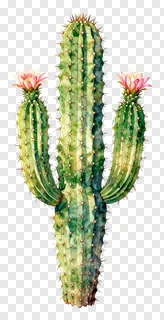
- What file format are spines PNG images and do they have a transparent background?
- Spines PNG images are saved in PNG format, which supports transparency. The background is fully transparent, so only the spiky subject is visible. This lets you place the image over any colour, texture or photo without a white or coloured box around it.
- Are spines PNG images free to use for commercial projects?
- The files are free for personal use, such as school work, private projects or personal social posts. Commercial use, including websites, adverts, products or client work, requires a commercial licence from the site. Re-hosting, re-selling or re-uploading the files is never allowed.
- How do I download spines PNG images and add them to my design?
- Open the image you like and press the Download button to save the file to your device. Then drag the PNG into any design tool, such as a presentation or editing app, and resize or position it as needed.
- Can I resize spines PNG images without losing quality?
- Yes, the clean cut edges make these images easy to shrink cleanly, and moderate enlargements usually look sharp too. Recolouring depends on the licence terms, so check which edits are allowed before changing the artwork.